Create and revise frames in the PSDs artists already use.
Turn Photoshop Into Professional Storyboarding Software
Build animatics, manage shots, organize productions, and share Live Review links for collaborator feedback while staying inside the drawing workflow artists already love.
Storyboard Studio overview
The false choice
Storyboarding has always forced artists to choose.
Photoshop is fast, flexible, and familiar for drawing, painting, sketching, and revisions. Dedicated storyboarding software is built for timing, animatics, organization, production handoff, and feedback. Storyboard Studio brings those worlds together.
The bridge
Keep Photoshop. Gain a production pipeline.
Draw where you work best. ShotFlow organizes Layer Comps into storyboard frames, and Storyboard Studio turns those frames into timing, animatics, exports, and Live Review feedback links.
ShotFlow turns Layer Comps into a structured board strip.
Storyboard Studio adds timing, audio, and camera moves.
Generate contact sheets, images, video, and production packages.
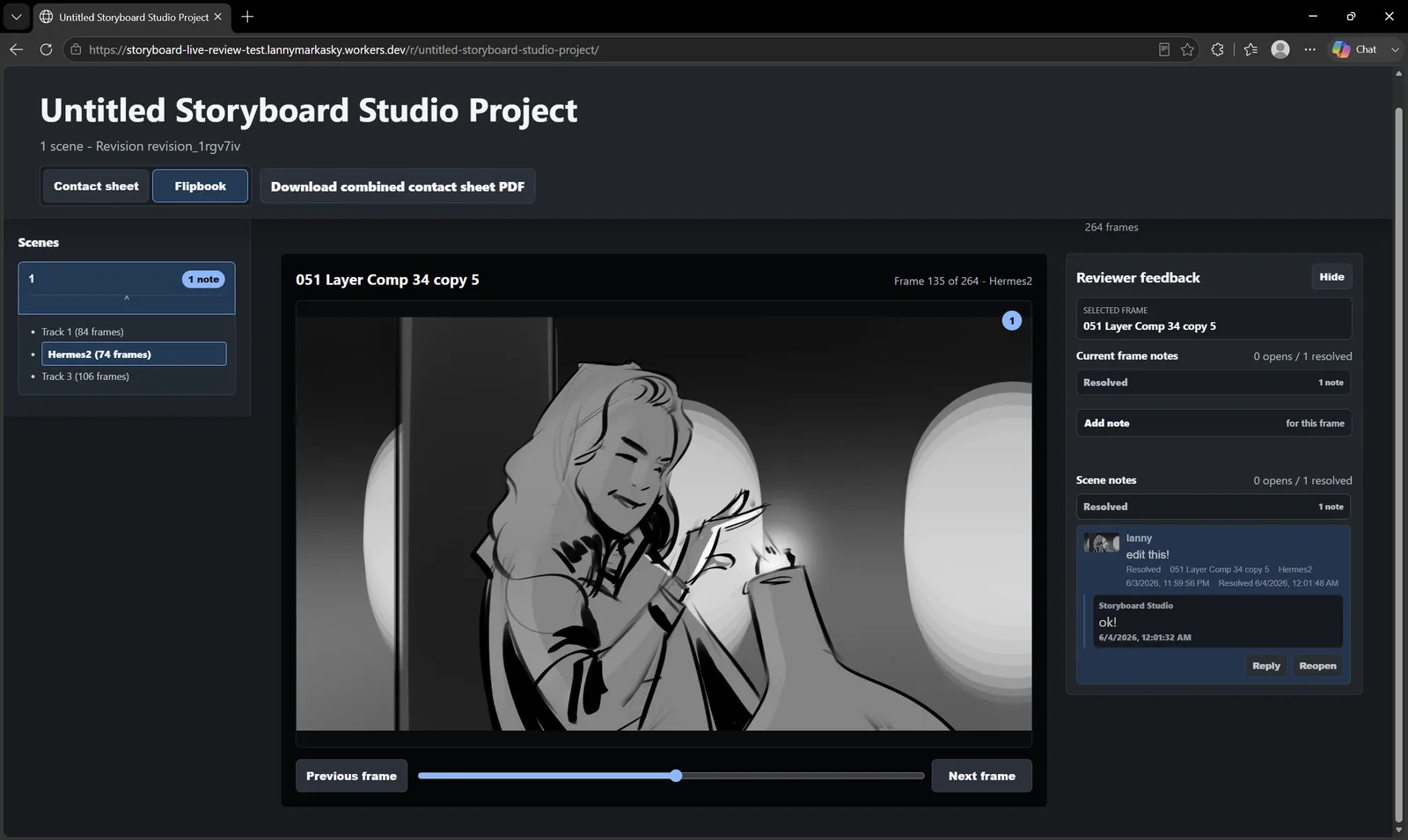
Send protected links, collect notes, and resolve feedback.
Ecosystem
The Storyboard Studio Ecosystem
Three tools, one production workflow: a flagship app, a Photoshop bridge, and a focused utility shelf for daily production work.
Complete pipeline
Storyboard Studio
$199The full professional storyboarding workflow.
Storyboard Studio brings animatics, timing, camera moves, audio, live review, contact sheets, and production-ready exports into one artist-first ecosystem.
- Storyboard Studio app
- ShotFlow Photoshop panel
- Momentum workflow utilities
- Animatics, timing, audio, and camera moves
Photoshop panel
ShotFlow
$59Turn Layer Comps into organized storyboard frames.
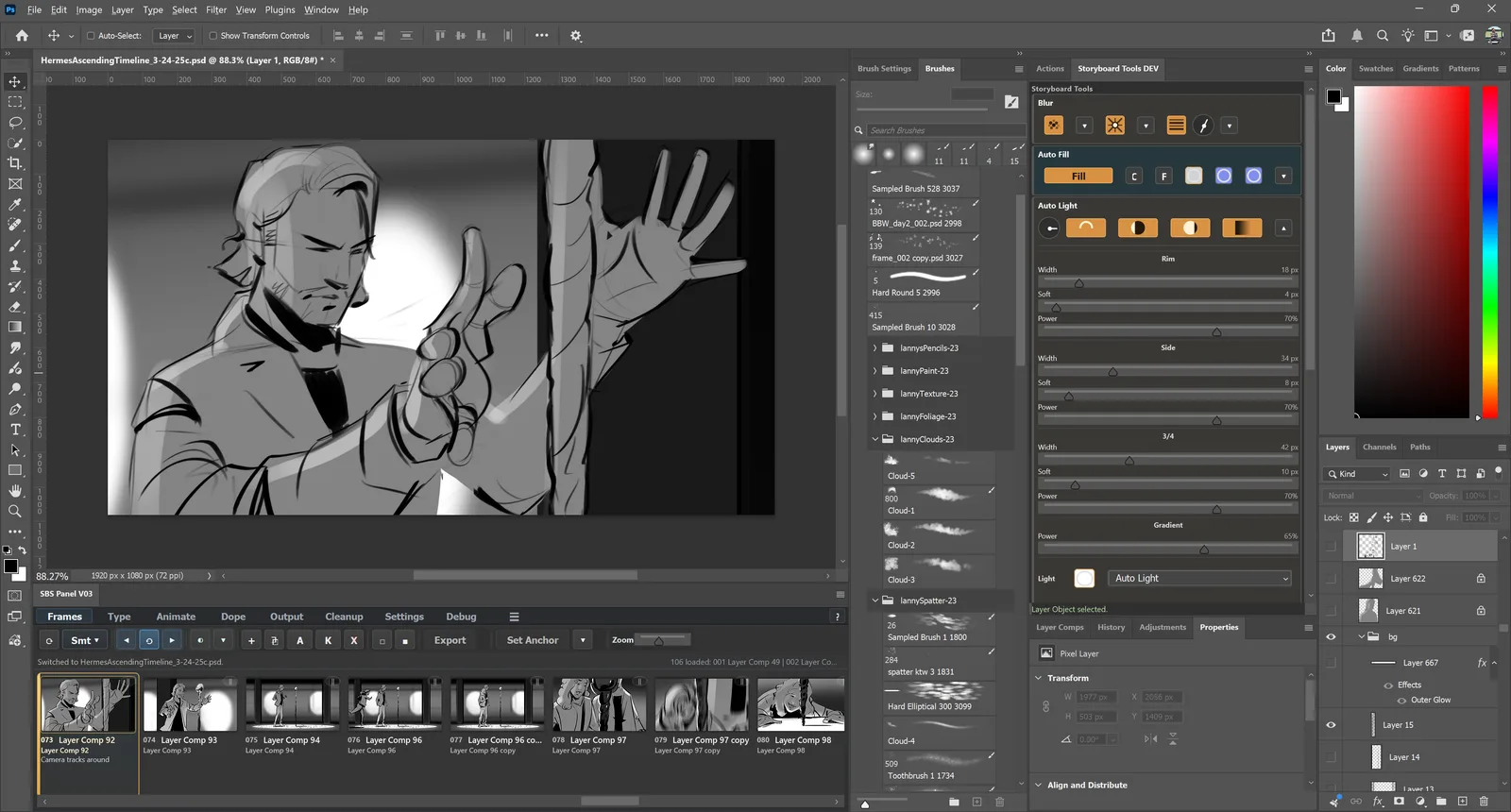
ShotFlow keeps Photoshop at the center of the drawing process while adding frame management, thumbnails, fast navigation, organization, and export tools.
- Layer Comp storyboard workflow
- Thumbnail grid and frame organization
- Fast navigation and selection
- Export tools
Workflow utilities
Momentum
$39Remove the small Photoshop frictions that slow artists down.
Momentum is a focused utility suite for production shortcuts, artist quality-of-life tools, and common Photoshop workflow acceleration.
- Photoshop workflow utilities
- Production shortcuts
- Common task streamlining
- Artist quality-of-life tools
Photoshop-native
Storyboard where you already draw.
Keep Photoshop as your fastest sketching, painting, and revision space. ShotFlow adds structure around the Layer Comp workflow so frames stay organized as productions grow.
- Frame organization
- Animation helpers
- Visibility tools
- Cleanup utilities
ShotFlow in Photoshop
Animatics
Create animatics from your storyboards with ease.
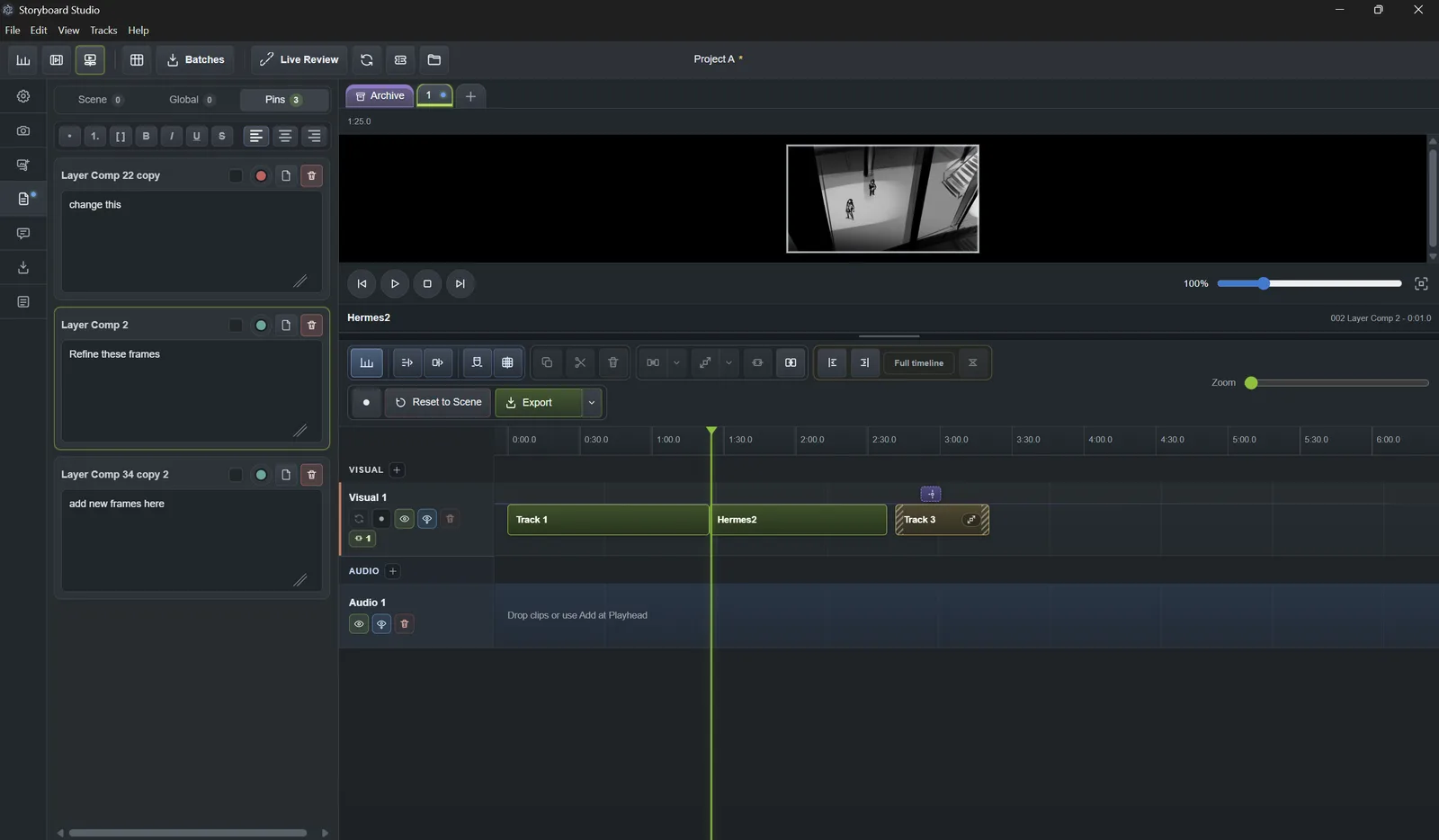
Turn organized storyboard frames into timed sequences, preview pacing, add audio, and export animatics for production feedback.
- Automatic animatics
- Timeline timing
- Playback controls
- Audio support
Timeline editor
Camera moves
Plan motion like part of the drawing.
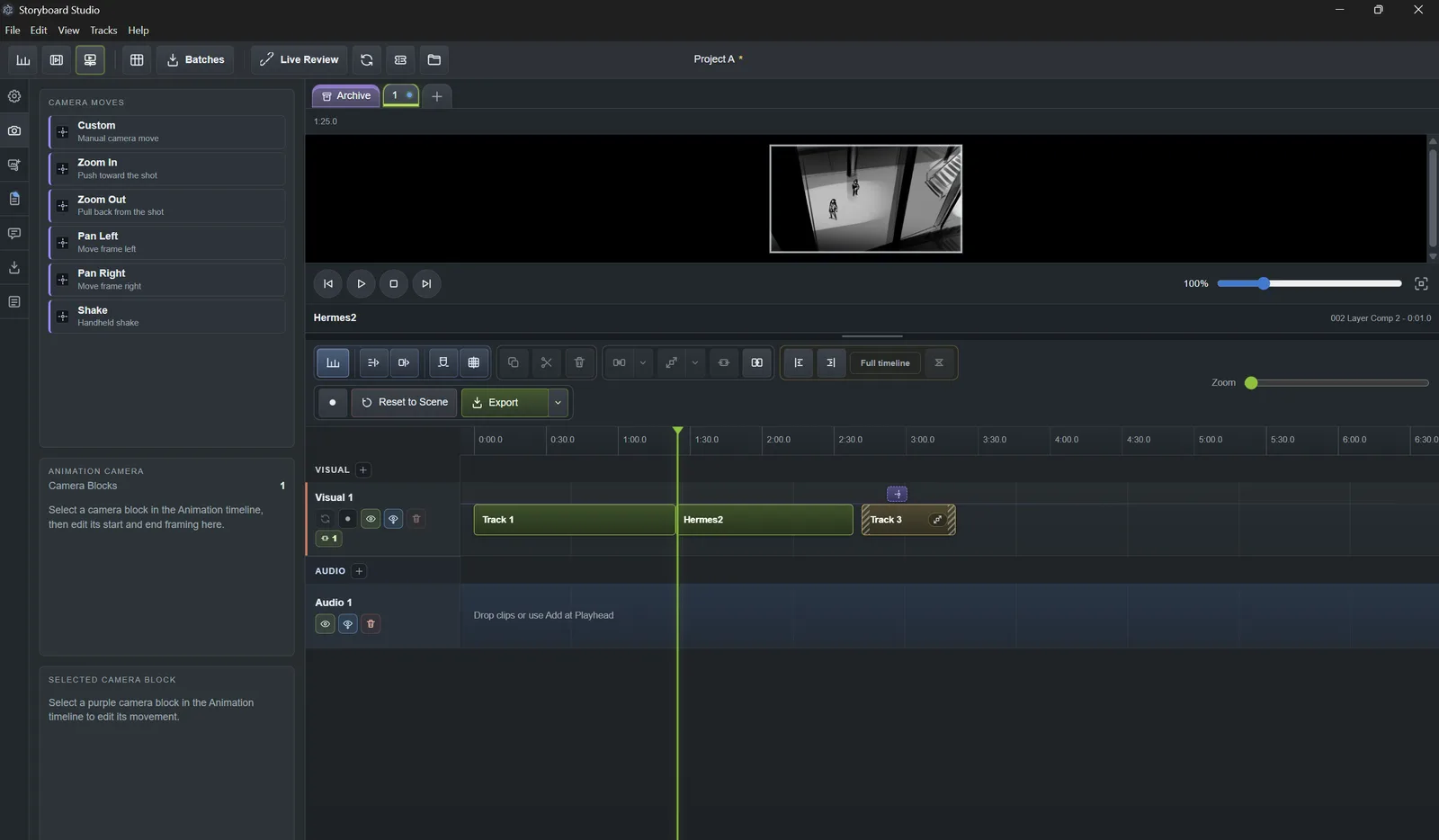
Stage pans, pushes, and framing changes with a workflow designed for visual storytelling instead of spreadsheet-style shot bookkeeping.
- Camera move planning
- Shot rhythm
- Animatic previews
- Director feedback
Camera move tools
Live Review
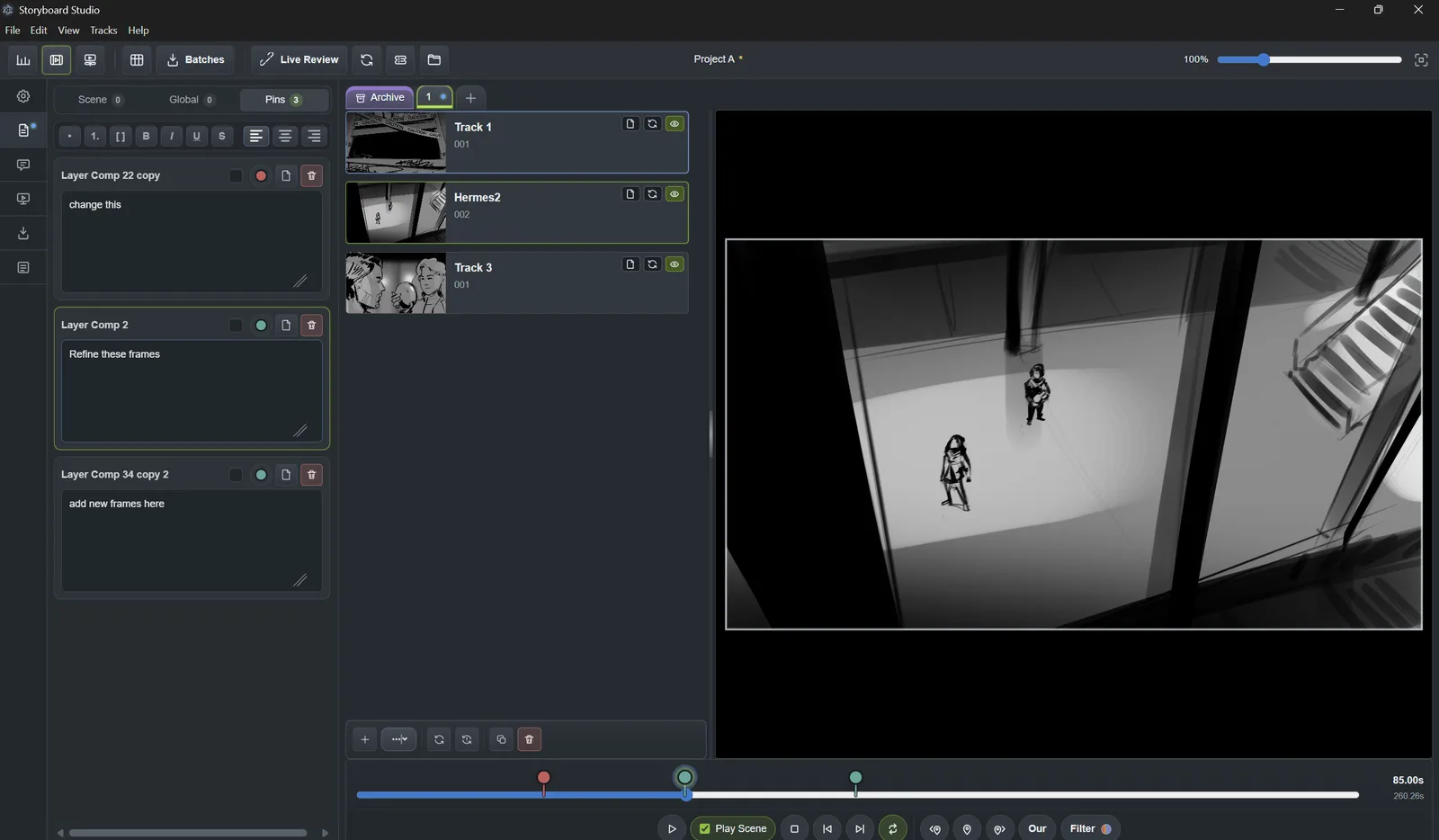
Share contact sheets and Live Review feedback.
Create contact sheets and exports, then share Live Review links so collaborators can leave notes, track changes, and understand shot intent.
- Live Review links
- Feedback tracking
- Contact sheets
- Export pipeline
Live Review feedback
Comparison
Photoshop drawing. Professional storyboard structure.
Photoshop alone gives artists freedom. Dedicated storyboarding software gives productions structure. Storyboard Studio is built for artists who need both.
Pricing
One-time pricing. No subscription.
Buy the tool you need today. Upgrade later without losing your investment.
Workflow Utility
Momentum
$39 one-time
Photoshop utility tools for artists who want faster production habits.
- Photoshop workflow utilities
- Production shortcuts
- Quality-of-life tools
- License key included
- Credits toward ShotFlow or Storyboard Studio
Photoshop Panel
ShotFlow
$59 one-time
Layer Comp storyboarding, frame organization, thumbnails, and exports.
- Photoshop storyboarding panel
- Layer Comp frame workflow
- Thumbnails and frame organization
- Export tools
- Includes Momentum free
- Credits toward Storyboard Studio
Complete Pipeline
Storyboard Studio Suite
$199 one-time
The full professional workflow for Photoshop drawing, frame management, animatics, review, and exports.
- Storyboard Studio app
- ShotFlow panel
- Momentum tools
- Animatics, timeline, and audio
- Camera moves and track editor
- Live review, contact sheets, and export pipeline
Artist-first
Made for artists by artists.
Storyboard Studio was created by a working storyboard and concept artist to solve the production workflow problems that show up in real jobs: revisions, timing, exports, organization, and feedback.
Client Studio Film Game Commercial
Board Art Concept Sequence Frame
Ready to storyboard in Photoshop without compromise?
Start with the full suite, or choose the piece of the ecosystem that fits your workflow today.